Groupsites are branded collaboration communities that empower groups of all types and sizes to communicate, collaborate and connect around a shared mission, organization, cause or company.
$99/month
All-inclusive
No per-user fees
Try FREE for 30 days
No credit card required
After free trial ends, 30 days notice prior to cancellation
AI/Copilot Lab Document Management using Sharepoint
AI/Copilot Lab Document Management using Sharepoint
Follow
19 followers
Like
0 Likes
I recently participated in a Teams meeting with a group here to discuss how I manage Point-of-Care Testing documentation using SharePoint. During the discussion, several attendees expressed interest in learning how to use SharePoint and asked questions about its capabilities.
When I first began using SharePoint, the learning process was challenging. I relied heavily on online resources, including YouTube tutorials, as well as guidance from my manager. There was recent integration of Microsoft Copilot with SharePoint has made the platform significantly more accessible and user-friendly.
You can ask the AI/copilot to build out stuff and it will do it for you. Automation, reminders, searches and so much more. You can ask questions about all the documents you uploaded, and it will provide you with an answer.
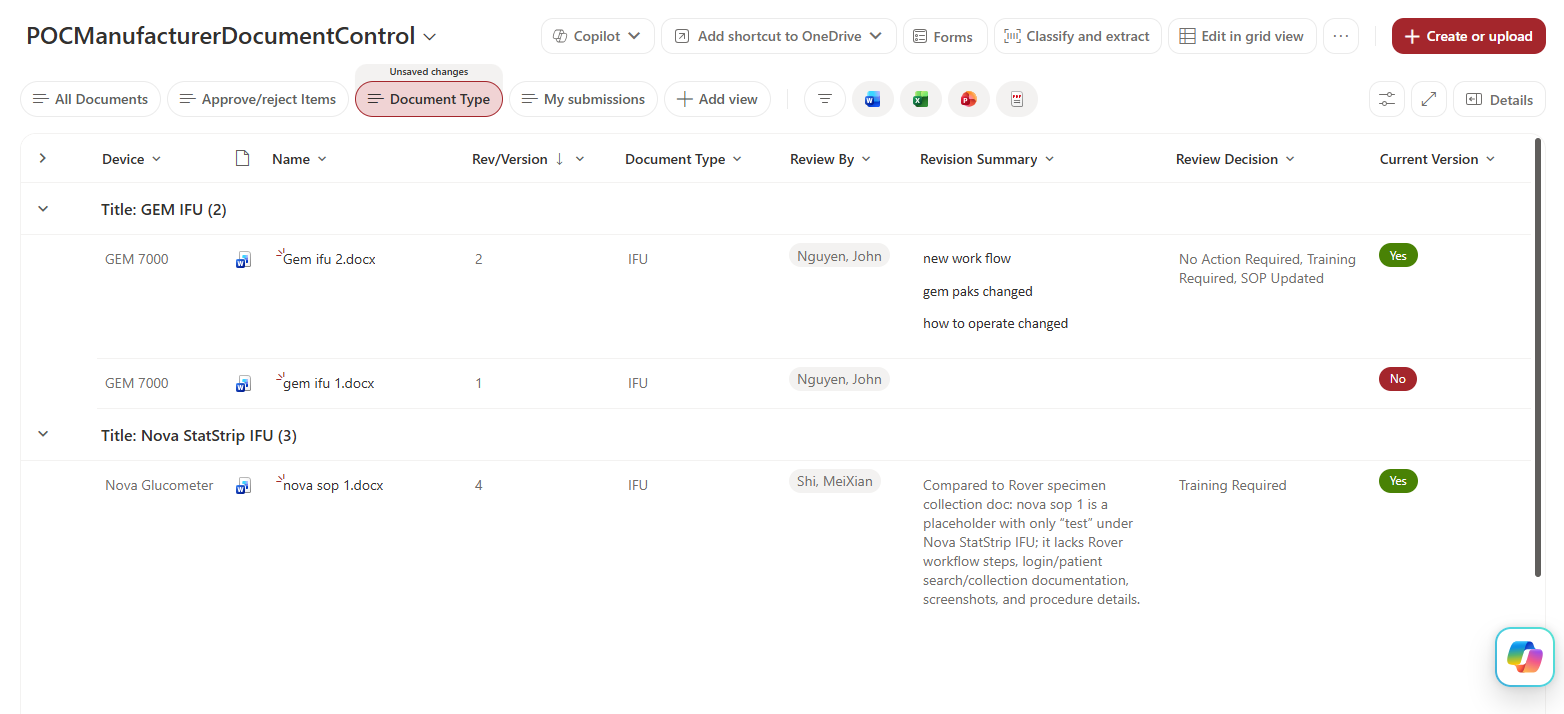
I recently was building a sharepoint list to store manufacturer IFU/manuals. Inspectors like to see that you are reviewing the IFU and updating your SOP accordingly. I was using Copilot in sharepoint to summarize the previous version of the manufacturer and having the AI document the changes between version, and I documented in sharepoint that I reviewed it.
I thought it was very cool and wanted to share it with everyone.
Maybe we can have another meeting in the future to see what everyone has created.
This is me testing/playing around with the sharepoint list to figure out if Copilot can see the attached document. Ignore the document names. image.png